


Using your digital certificate, you can appoint us as your authorised representative before both the Spanish Tax Agency (AEAT) and Social Security (TGSS). If you do not yet have a digital certificate, our law firm can arrange one for our clients.
In this case, we can also directly carry out the procedures described here to set up the authorisation for representation. Further information can be found in our service agreement: Digital Certificate for Clients
A) Setting up representation before the Spanish Tax Agency (AEAT)
Follow the steps below to appoint our law firm as your authorised representative before the Spanish Tax Agency (AEAT). Once the authorisation has been set up, we will receive notifications from the Tax Agency directly in our electronic mailbox, so you will no longer need to maintain your own electronic mailbox. Regardless of our appointment as your representative, you will still be able to access all your notifications yourself at any time. In addition, as your authorised representative, we will have access to your tax information and can arrange for tax payments to be debited from your bank account by the Tax Agency.
1. Make sure that your engagement or service agreement includes representation before the Spanish Tax Agency. As a general rule, representation before the Tax Agency is included within the scope of services we provide to all our clients.
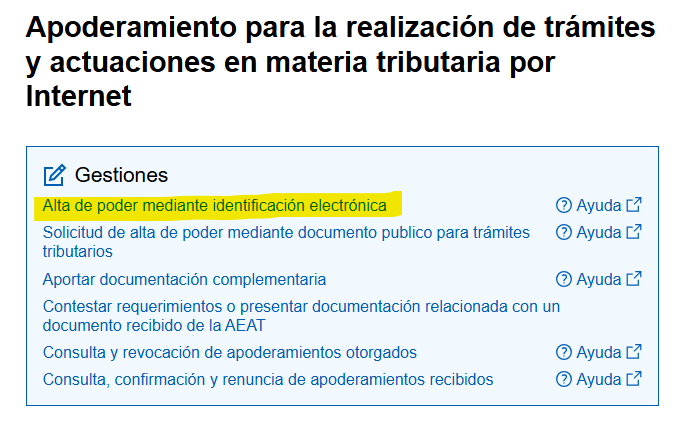
2. Open the Tax Agency's "Sede electrónica" and select "Alta de poder mediante identificación electrónica": [Link to the Tax Agency]
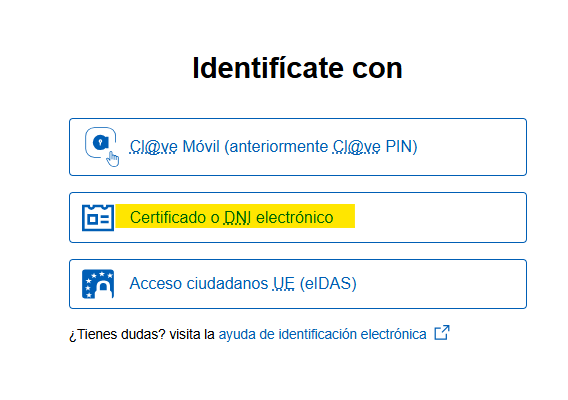

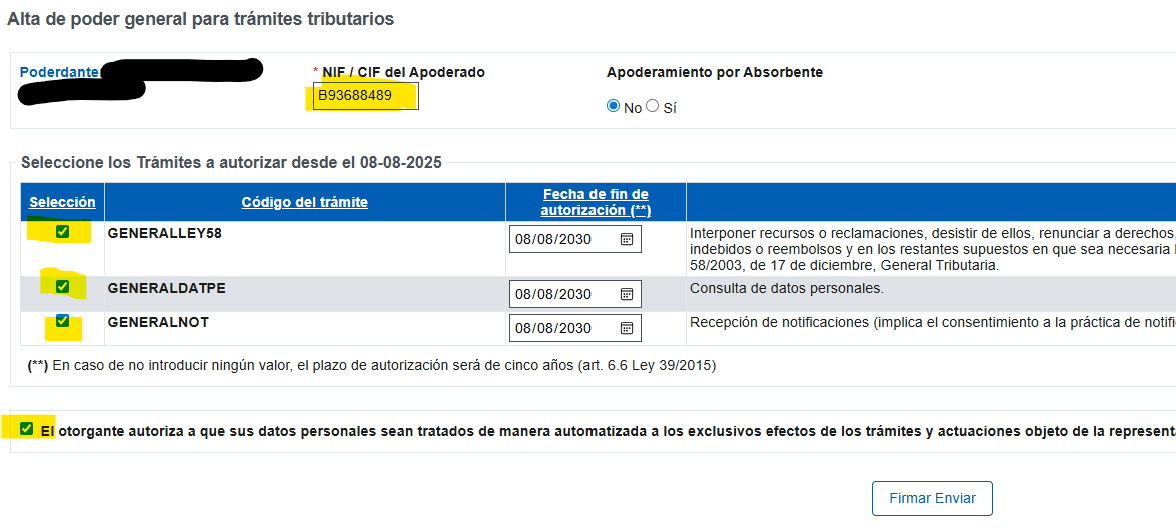
5. Under NIF / CIF, enter our law firm's tax identification number B93688489, select the following 4 fields and click on "Firmar Enviar". On the following pages, confirm by clicking on "Firmar".
5. Open the first link again until you return to the following page. This time, select "Alta de poder para trámites tributarios específicos".

6. Open the first link again until you return to the following page. This time, select "Alta de poder para trámites tributarios específicos". Confirm by clicking on "Aceptar".
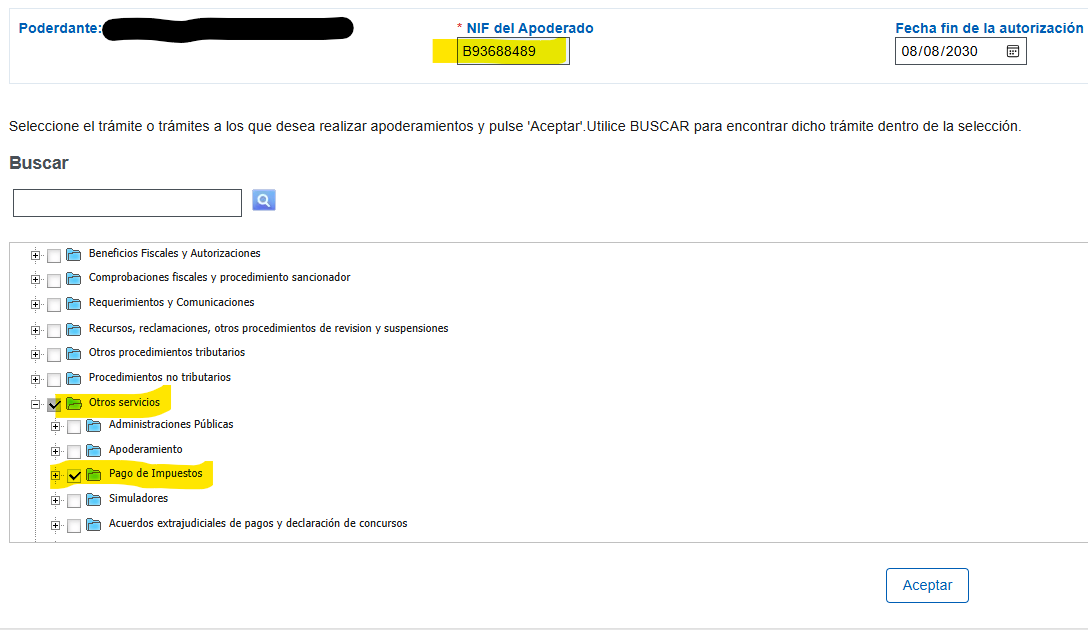
6. Check that the name of our law firm, "SANDER, SANTOS & PARTNERS SLP", is displayed under "Apoderado" and confirm by clicking on "Firmar Enviar". Confirm again on the following page.

7. Inform your case manager that you have completed the procedure. Once we have accepted the authorisation, we will receive all notifications on your behalf and will represent you before the Spanish Tax Agency as your tax advisers.
B) Setting up representation before Social Security (TGSS)
Follow the steps below to appoint our law firm as your authorised representative before Social Security (TGSS). Once the authorisation has been set up, we will receive Social Security notifications directly as a law firm authorised under the RED System, so you will no longer need to maintain your own electronic mailbox. Regardless of our appointment as your representative, you will still be able to access all your notifications yourself at any time.
1. Make sure that your engagement or service agreement includes representation before the TGSS. As a general rule, we charge a fee of €25 per quarter for representation before the TGSS.
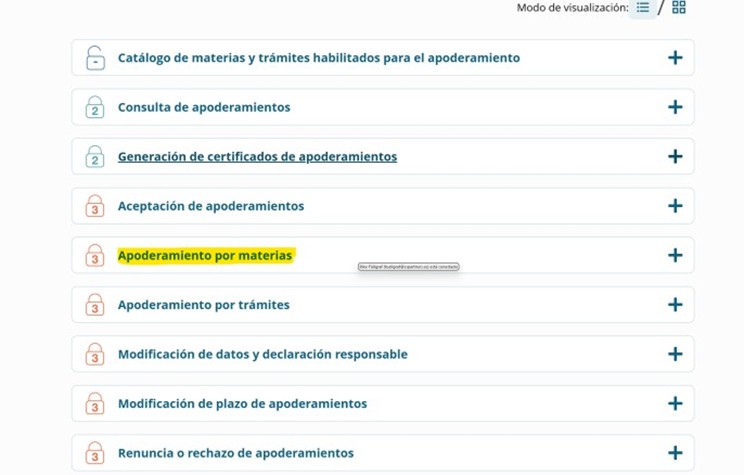
2. Open the Social Security "Sede electrónica" and select "Alta de poder mediante identificación electrónica": [Link to the TGSS] and then select "Apoderamiento por materias".
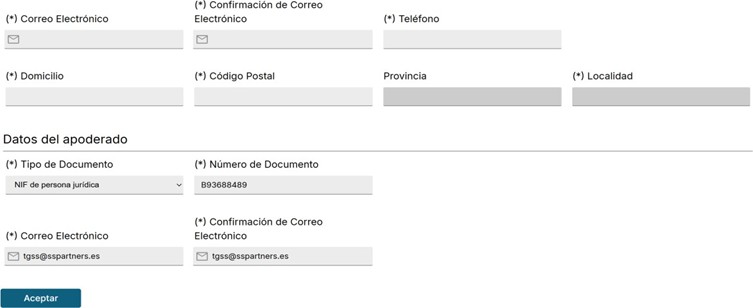
3. Enter your details in the first section: email address, telephone number, address and postcode. In the second section, enter our CIF: B93688489 and the email address
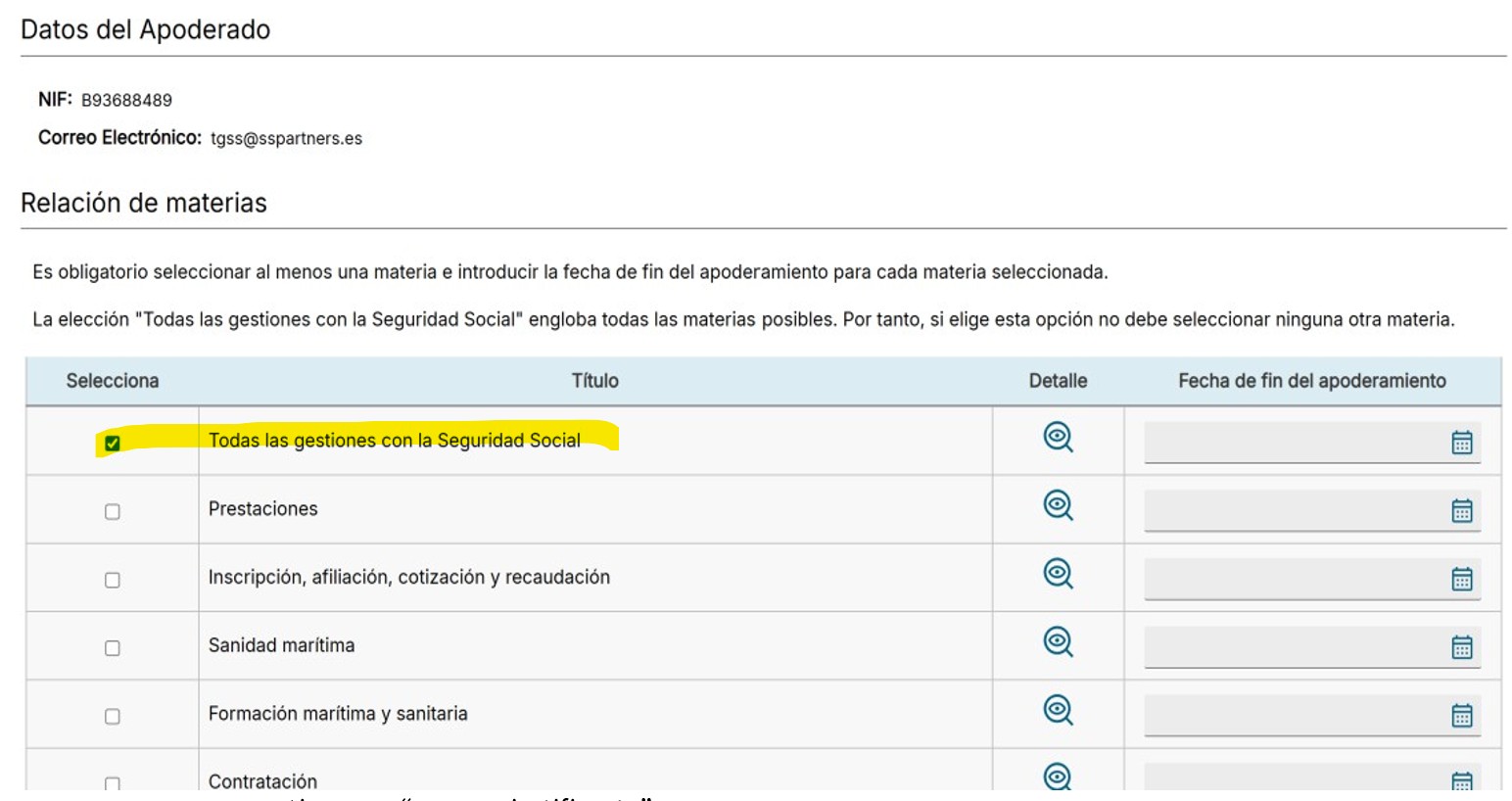
4. Select "Todas las gestiones con la Seguridad Social". Under "Fecha fin apoderamiento", enter an expiry date no more than 5 years from today's date. Confirm your selection and, on the next page, click on "Firmar" and then on "Finalizar".
5. Inform your case manager that you have completed the procedure. Once we have accepted the authorisation, we will receive all notifications on your behalf and represent you before Social Security.
Please feel free to contact us if you encounter any problems during the procedure.
Your Sander, Santos & Partners TEAM


 (+34)
(+34)